

Manage spaces in easyy.click
easyy.click helps you manage frequently used links and notes, and everything is end-to-end encrypted.
Spaces in easyy.click are separate domains, you can use the default space for your personal links and notes, but you may want a different space for your work links.
In this guide I will show you how to manage your spaces.
1). See all spaces
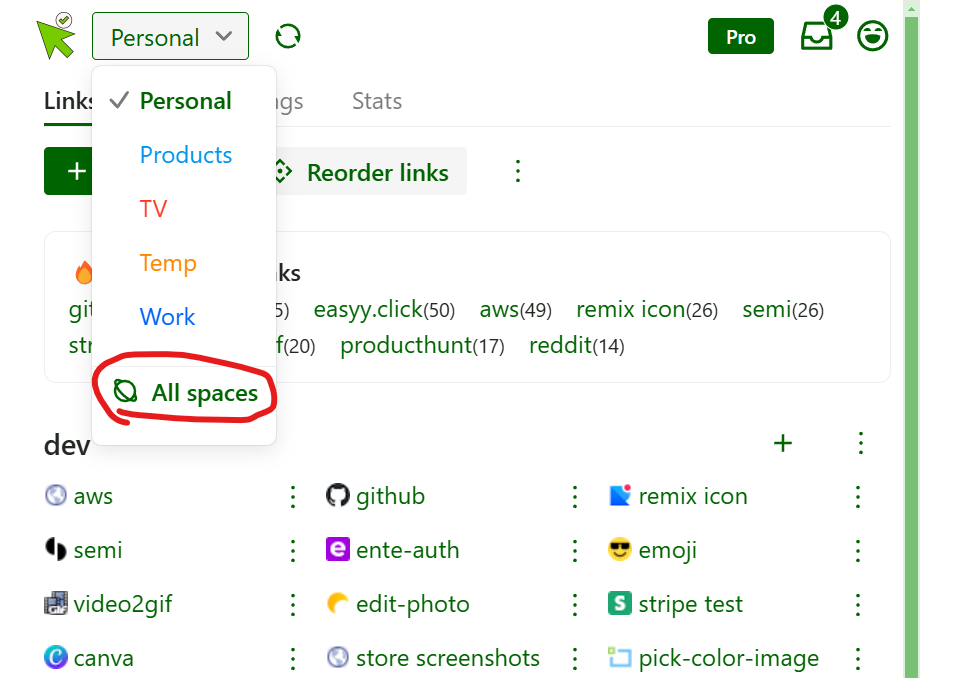
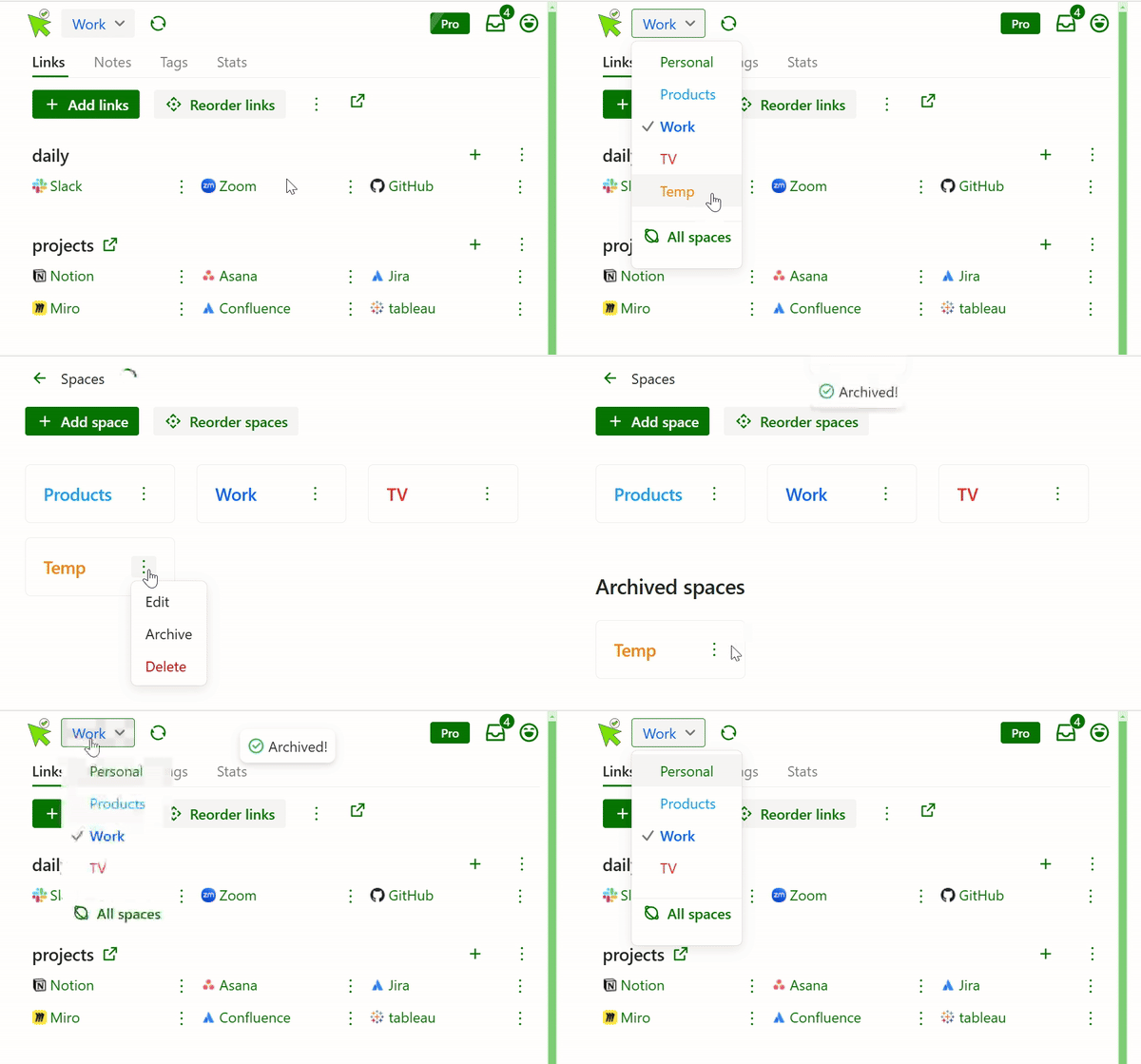
Click “All spaces“ in the spaces dropdown:
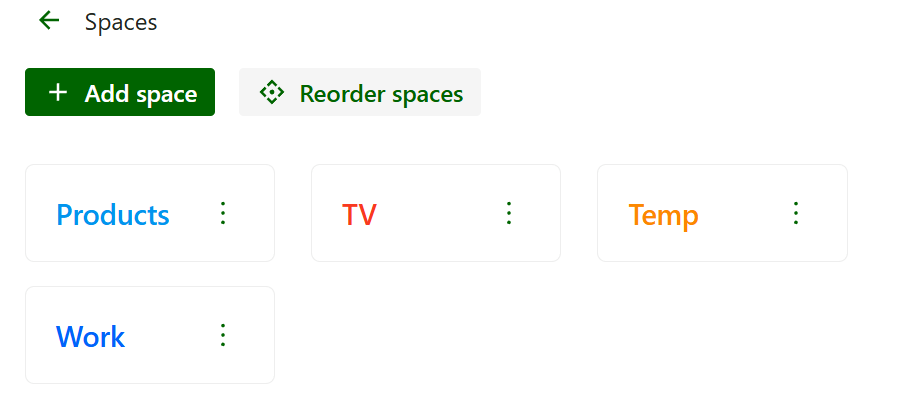
You will see all your spaces:
2). Create a new space
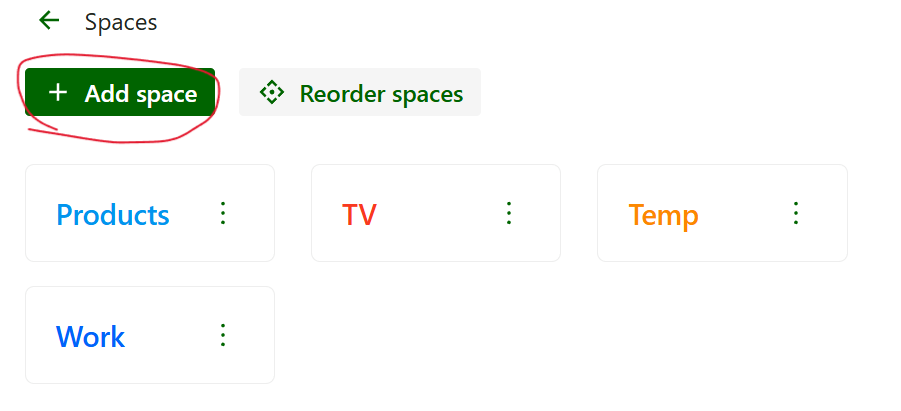
Click the “Create space“ button to create a space.
3). Reorder spaces
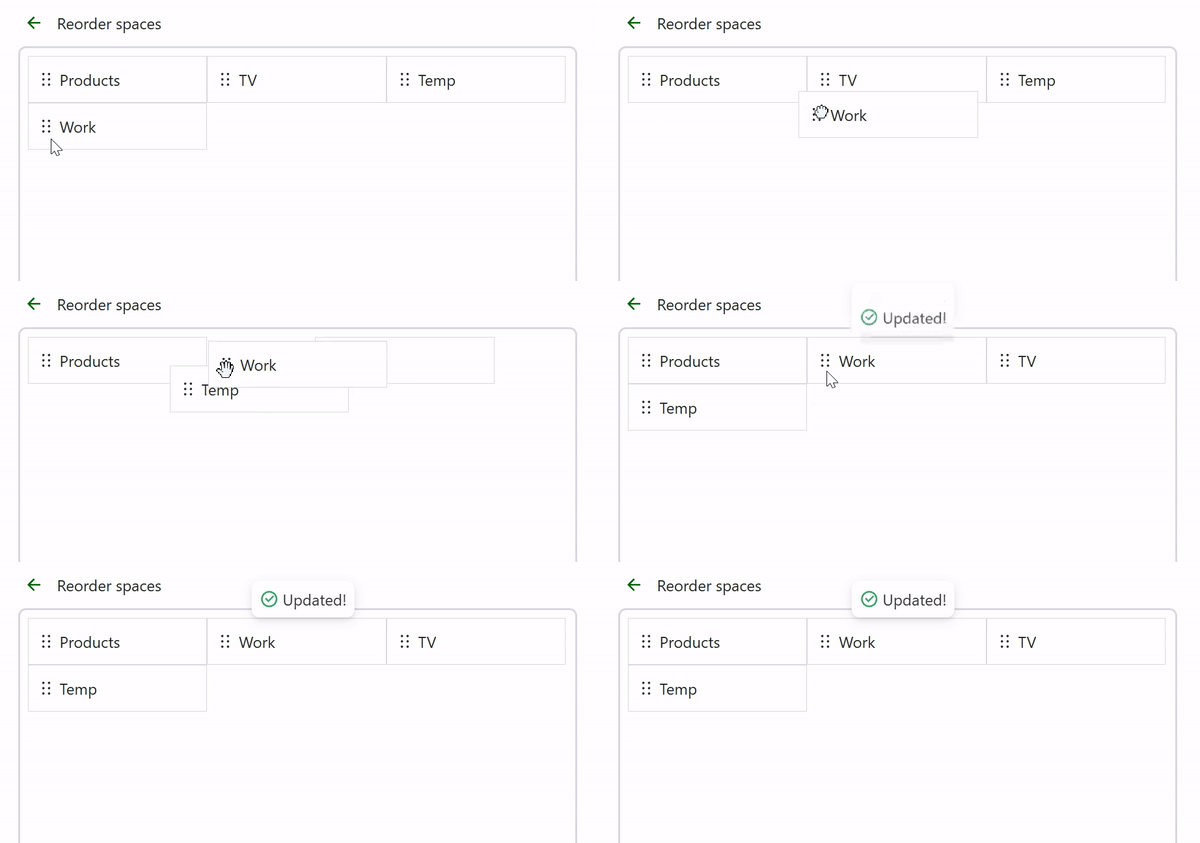
Click the “Reorder spaces“ to reorder them:
4). Archive space
If you don’t need a space anymore, you can archive it, it won’t show in the spaces lists anymore:
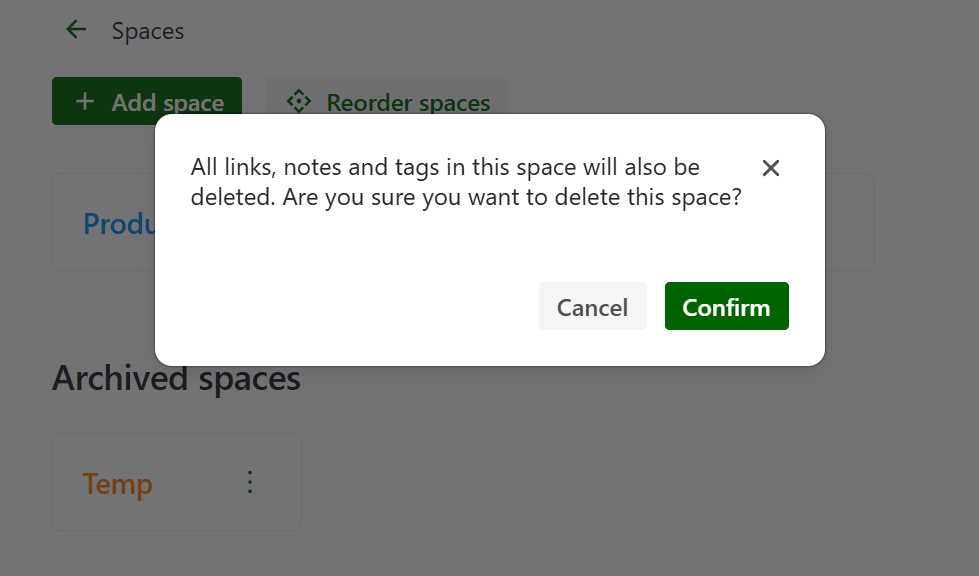
5). Delete space
All your links, notes, tags will be deleted forever if you delete a space.
Hope you find this guide helpful.